Building a Local RAG Pipeline for the Hollow Knight Wiki with Crawl4ai, Supabase and Ollama
Introduction
I’m a huge fan of the Hollow Knight games by Team Cherry. To me, it’s the best metroidvania ever made. The amount of detail, lore, music, and content packed into that game is genuinely fascinating.
The games lean heavily into exploration and never hold your hand, which means there’s a good chance you’ll get stuck at some point and find yourself digging through the wiki or Googling for answers. So I thought: why not build a RAG pipeline to chat with the entire Hollow Knight wiki? Get precise information, with sources, quickly and reliably. Well yeah you could just visit the wiki directly… but where’s the fun in that?
There was also a practical motivation: LLMs often get Hollow Knight details wrong. Google’s Gemini search summaries are especially notorious for this, mostly thanks to silkposts (iyyk 👀).
That’s what hollow-knight-rag is: a fully local RAG pipeline that crawls the Hollow Knight Fandom wiki, embeds all of its knowledge into a vector database, and lets you chat with it using a local LLM. No cloud API required.
Let’s walk through how it’s built.
Project Overview
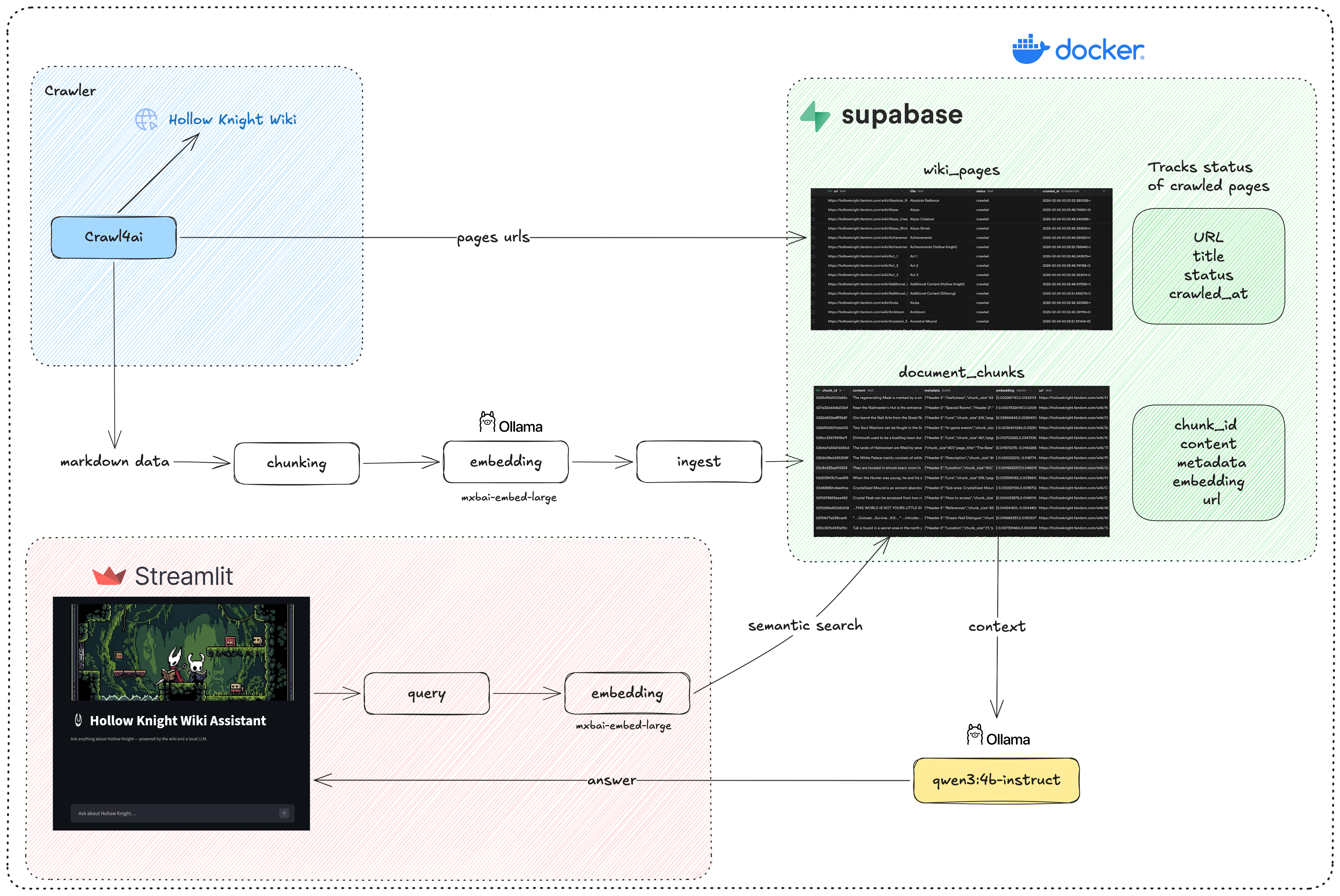
The project architecture will look like this.
Crawling the wiki
For the data, we’ll get it from the Hollow Knight Wiki.
We’ll use Crawl4ai, which is a very powerful open source tool to crawl websites, scrape their content, and save it to different formats. In our case, we’ll scrape content as well-structured markdown that includes only the main content of the page, which will be good for retrieval later.
hollow_knight_crawler.py fetches every page from the Hollow Knight Fandom wiki. It:
- Discovers all page URLs and saves them to
hollow_knight_urls.txt - Tracks crawl status (pending / success / failed) in Supabase so runs are resumable
- Converts each page to a clean Markdown file stored in
hk_markdowns_data/
The trickiest part of this step is removing unnecessary selectors to only fetch the main content of the page. At first the crawler was extracting navbar content, titles, headers, footers… which added a lot of noise to the final markdown file. After a few iterations and inspecting the page structure and HTML tags, I found the selectors to exclude and which ones to include.
Let’s go through the methods in the crawler:
fetch_wiki_urls: Sends a request to the Fandom wiki API to fetch all URLs within the Hollow Knight subdomain, then saves them tohollow_knight_urls.txtso we can crawl them in the next step.sync_urls_to_supabase: Stores the URLs in a Supabase table with statuspending.crawl_pages: Goes through the pending URLs, crawls their content, saves it as a markdown file, and updates the URL status tocrawled.
To fetch multiple URLs concurrently and save time, I used arun_many.
Ingestion & Embedding
First let’s create our Supabase tables.
wiki_pages table
1
2
3
4
5
6
7
create table wiki_pages (
  url text primary key,
  title text not null,
  status text not null default 'pending' check (status in ('pending', 'crawled', 'failed')),
  crawled_at timestamptz
);
create index idx_wiki_pages_status on wiki_pages (status);
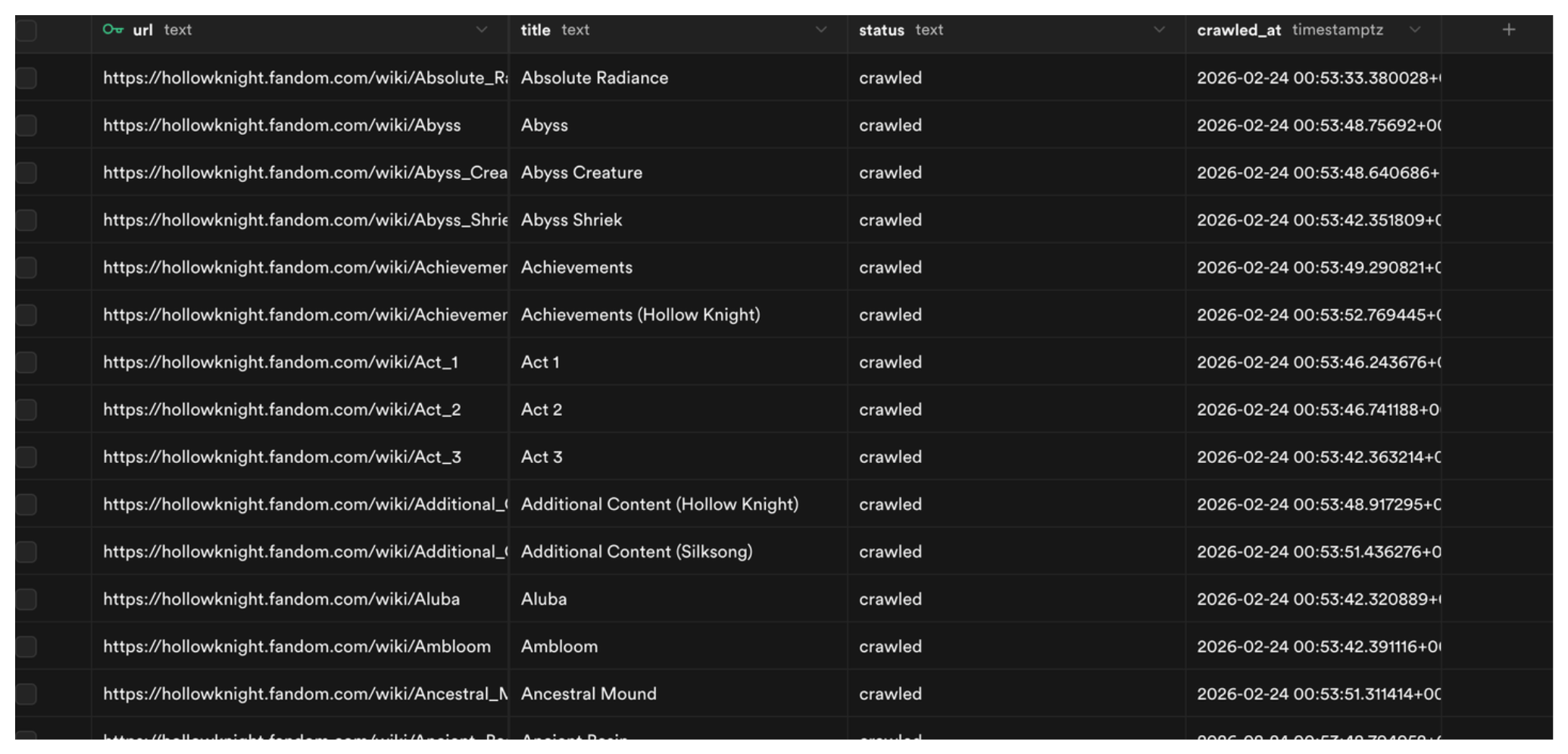
Straightforward, the table has four columns: url (primary key), title, status, and crawled_at.
document_chunks
First we need to enable pgvector, which is an open-source vector similarity search extension for Postgres:
1
create extension if not exists vector;
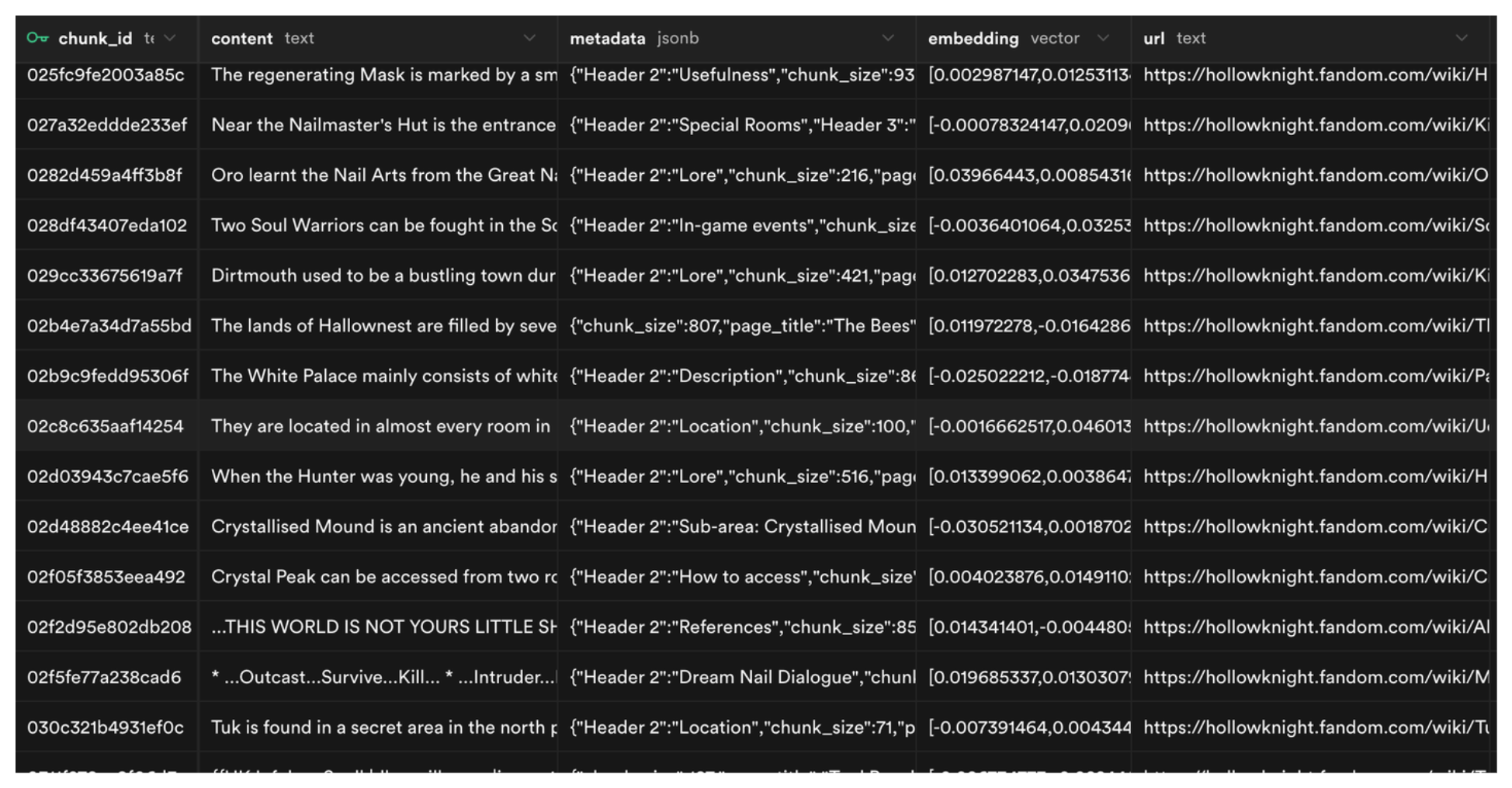
Then we create the document_chunks table. It has a chunk_id, its content, metadata (title, filename, etc.) that helps us filter and search through chunks, an embedding column with the vector data type that gets searched during similarity search, and the source url to track where each chunk came from.
1
2
3
4
5
6
7
create table document_chunks (
  chunk_id text primary key,
  content text not null,
  metadata jsonb not null default '{}',
  embedding vector(1024) not null,
  url text
);
Next we need to build the index. We’ll use HNSW (Hierarchical Navigable Small World), which works by organizing embeddings into a graph where similar vectors are connected as neighbors. When a query comes in, Postgres traverses this graph to quickly find the closest matches without exhaustively scanning the entire table.
You can tune it with two parameters: m controls how many neighbor connections each vector maintains in the graph (higher = more accuracy but more memory). ef_construction controls how thoroughly the graph is built during insertion, a low value only looks at a few neighbors when placing a new vector (fast but less accurate), while a higher value considers more neighbors for a more accurate graph but takes longer to build.
I tried using an IVFFlat index first. It works by dividing vectors into clusters and only searching within the closest cluster at query time. The issue is that it works best when applied after the table is already populated (so it builds accurate clusters), and clusters can drift as new data is added. For this project I just went with HNSW.
I also created a GIN index on the metadata column to make filtered searches faster. The GIN index breaks apart the keys and values inside the JSON and builds a lookup structure so Postgres can jump straight to matching rows.
1
2
3
4
create index on document_chunks using hnsw (embedding vector_cosine_ops)
  with (m = 16, ef_construction = 64);

create index idx_metadata on document_chunks using gin (metadata);
And lastly the match_documents function. It takes three parameters: a query embedding to search against, the number of results to return (defaults to 5), and an optional metadata filter.
1
2
3
4
5
6
7
8
9
10
11
12
13
14
15
16
17
18
19
20
21
22
23
24
25
26
27
28
create or replace function match_documents(
  query_embedding vector(1024),
  match_count int default 5,
  filter jsonb default '{}'
)
returns table (
  chunk_id text,
  content text,
  metadata jsonb,
  url text,
  similarity float
)
language plpgsql
as $$
begin
  return query
  select
    d.chunk_id,
    d.content,
    d.metadata,
    d.url,
    1 - (d.embedding <=> query_embedding) as similarity
  from document_chunks d
  where (filter = '{}' or d.metadata @> filter)
  order by d.embedding <=> query_embedding
  limit match_count;
end;
$$;
The most important part is the SELECT clause. It computes vector similarity using 1 - (d.embedding <=> query_embedding). The <=> operator returns cosine distance (0 to 2, where 0 means identical vectors), so subtracting from 1 converts it to a similarity score (-1 to 1, where 1 is identical). There’s also a WHERE clause for optional metadata filtering.
ingestion_pipeline.py takes the raw Markdown files and prepares them for semantic search:
- Chunking: Each Markdown file is split based on headers using
MarkdownHeaderTextSplitterfrom LangChain. If a chunk is still too large, it’s further split usingRecursiveCharacterTextSplitter. - Embedding: Each chunk is embedded using mxbai-embed-large via Ollama.
- Storage: Chunks and their vector embeddings are upserted into a local Supabase (Docker) instance.
Retrieval and Generation
rag.py handles:
- Embedding the user’s query using the same
mxbai-embed-largemodel
Note from
mxbai-embed-largeHuggingFace page: When using this model for retrieval, you need to prefix your query withRepresent this sentence for searching relevant passages:. Documents being indexed don’t need any prompt, only the query does.
- Querying Supabase’s
match_documentsfunction, which returns the most semantically similar chunks via HNSW search - Assembling the top chunks into a context block and sending it to
qwen3:4b-instructvia Ollama to generate a final answer in streaming
Chat UI
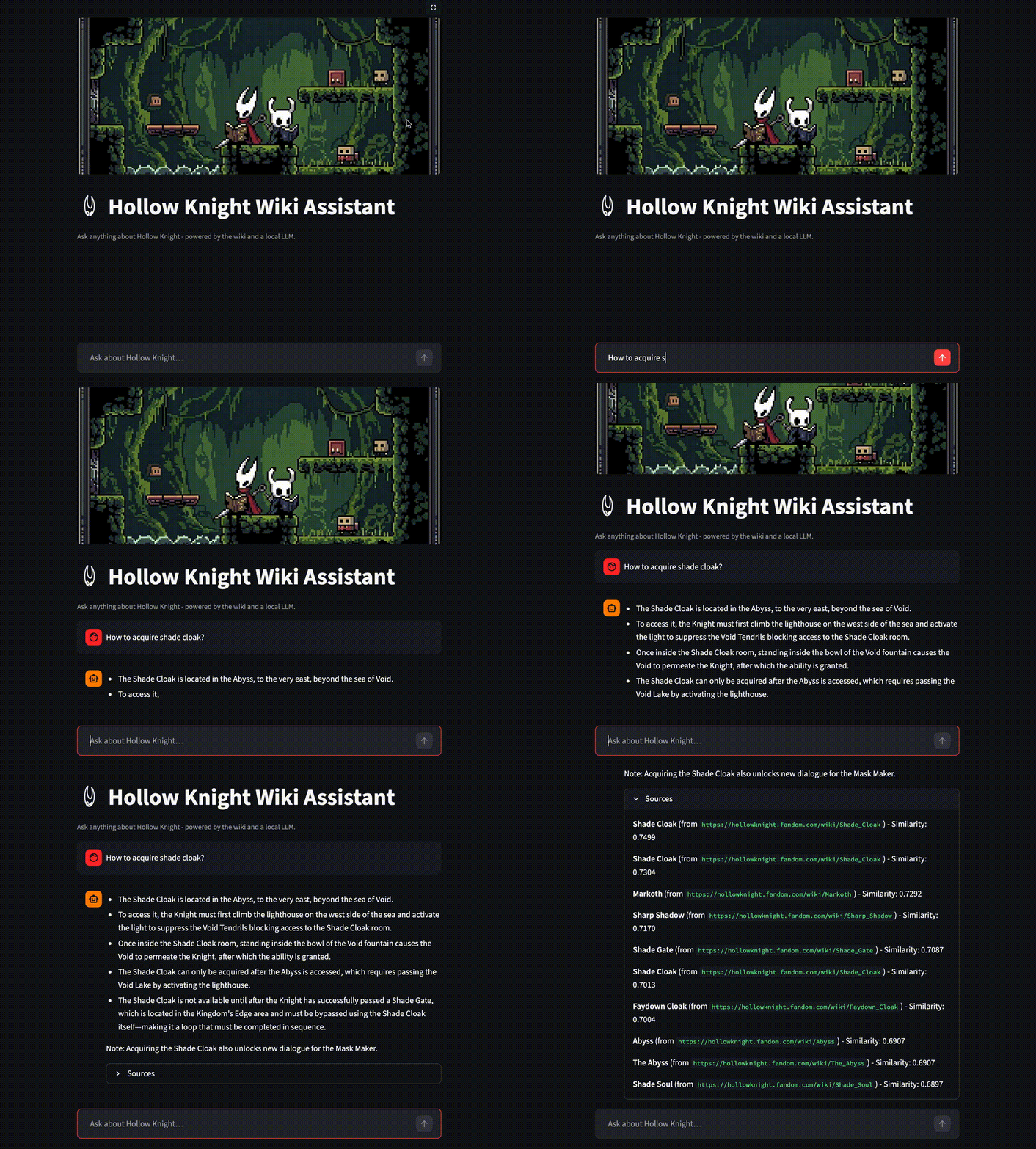
chat_ui.py: Building a chat interface in Streamlit is pretty easy using its chat components. Here we read the query from the chat input, pass it to our retrieve method which takes care of all intermediary steps (embedding, search, retrieval, generation), get an answer back, and append it to the chat history.
Running the project
To run the project, make sure you have uv installed, then clone the repo and install all dependencies:
1
2
3
git clone https://github.com/Otman404/hollow-knight-rag.git
cd hollow-knight-rag
uv sync
The Supabase free cloud tier caps the database at 500MB. After indexing the full Hollow Knight wiki (~800 pages, with 1024-dimensional embeddings), It exceeded that limit pretty quickly. The solution is running Supabase locally via Docker.
Make sure you have Docker installed, then install the Supabase CLI and start it:
1
2
3
4
5
# Install Supabase CLI
npm install supabase --save-dev

# Start local Supabase
supabase start
This will start a Supabase instance at http://localhost:54323. Go to the SQL editor and run the migration queries from the previous section to create the tables, indexes, and the match_documents function. You can also find them all in supabase/migrations.
Then copy the credentials printed by supabase start into a .env file:
1
2
SUPABASE_URL=http://127.0.0.1:54321
SUPABASE_SERVICE_KEY=<service_role key>
Next, pull the models from Ollama. You can choose a different LLM based on your hardware. I went with qwen3:4b-instruct:
1
2
ollama pull mxbai-embed-large
ollama pull qwen3:4b-instruct
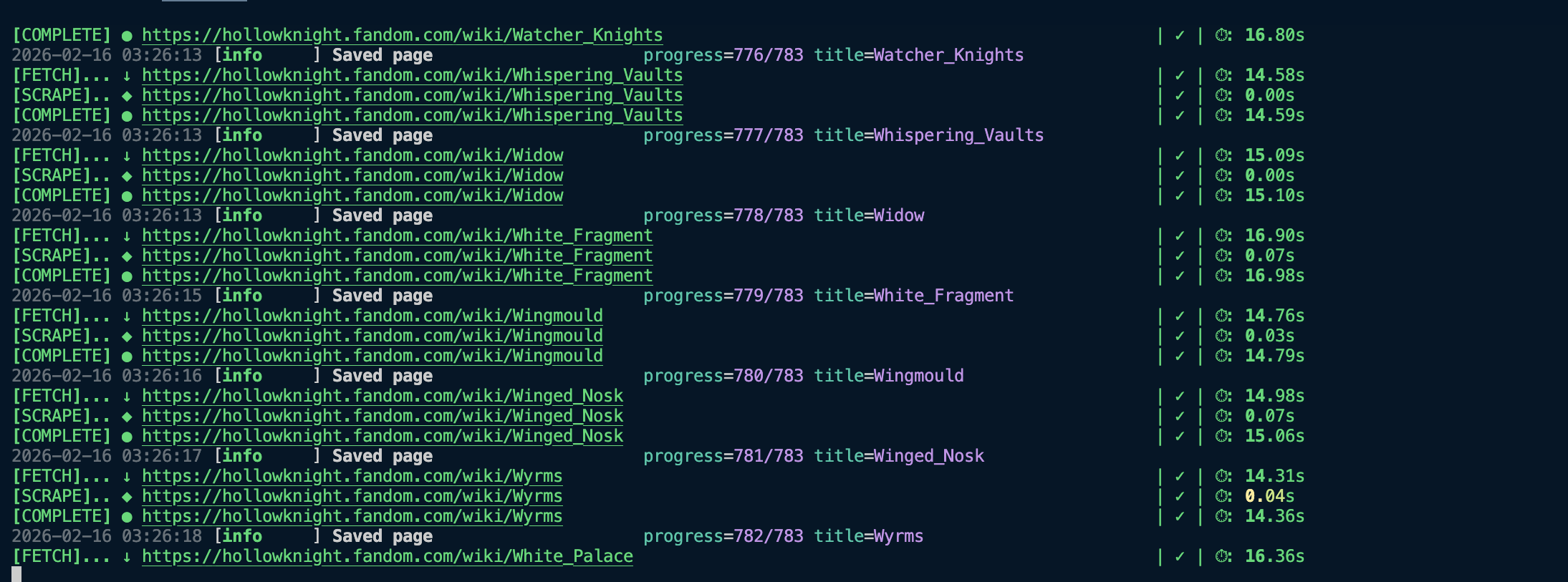
1. Run the crawler
1
uv run hollow_knight_crawler.py
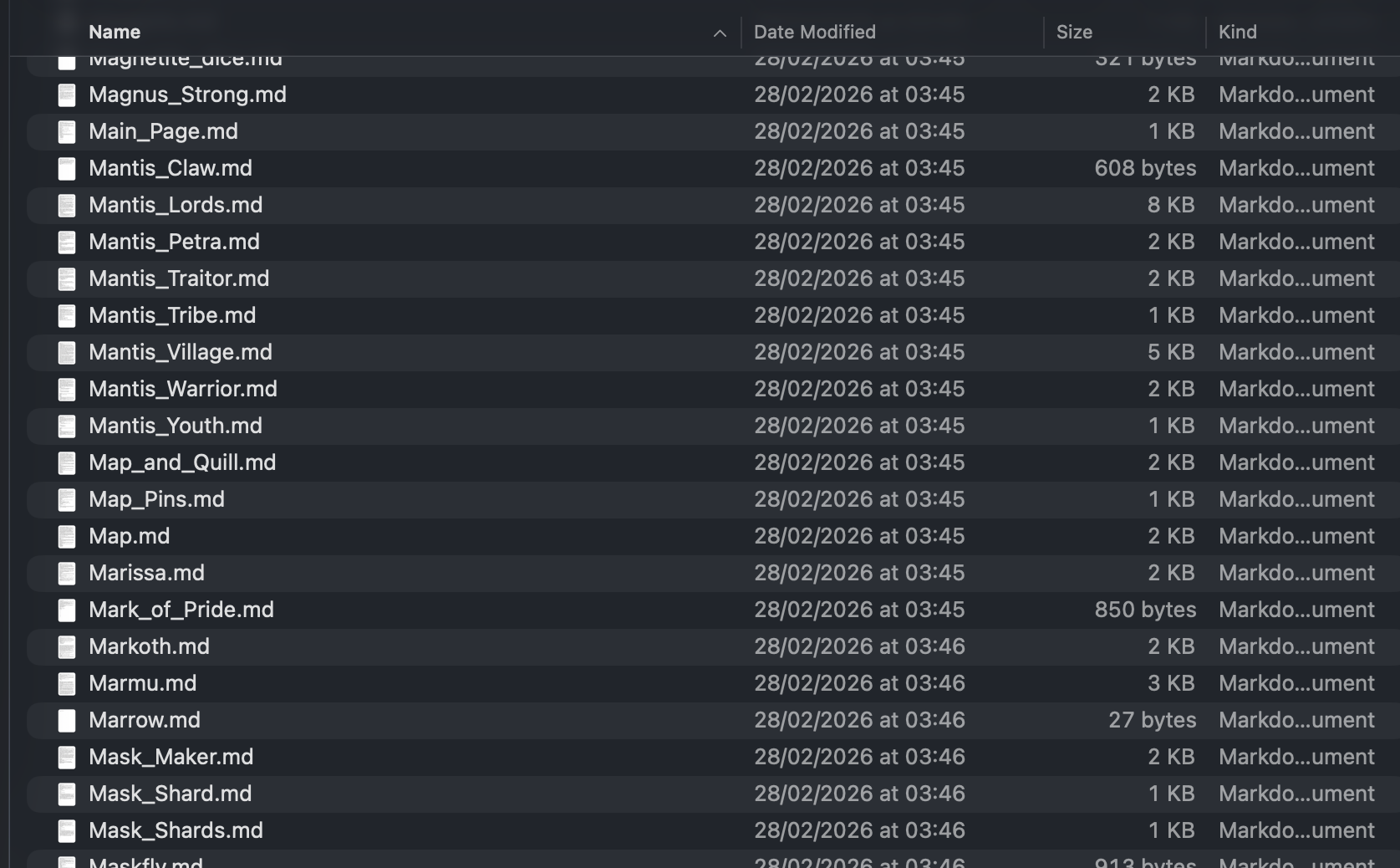
This will populate hk_markdowns_data/ with well-structured .md files for each wiki page, and track each URL’s crawl status in Supabase.
2. Run the ingestion pipeline
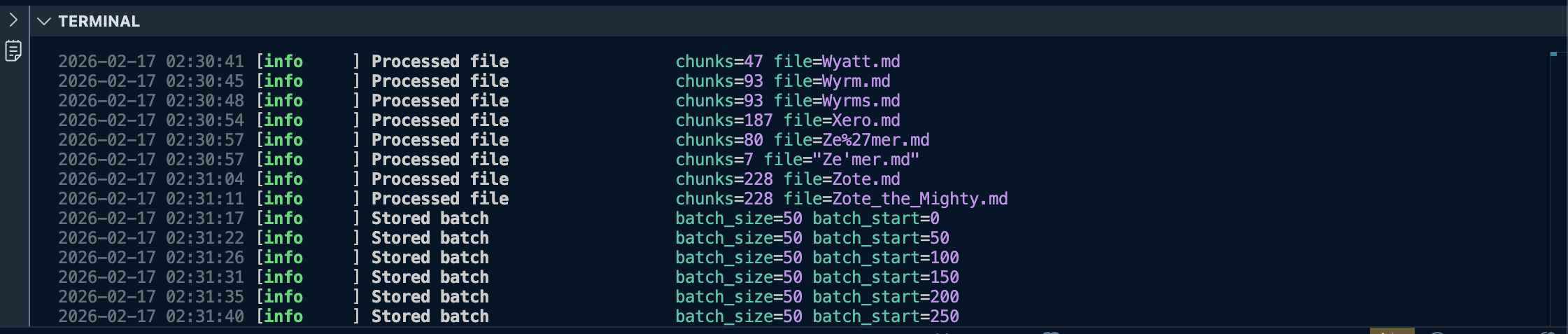
Now that we have the data ready, let’s ingest it into our Supabase tables:
1
uv run ingestion_pipeline.py
Once this finishes, you should see the document_chunks table populated in your local Supabase instance.
3. Start the chat UI
1
streamlit run chat_ui.py
This starts the chat interface. It uses rag.py under the hood to embed the query, retrieve the most relevant chunks, build context, and stream the LLM’s answer back to the UI.
Conclusion
There is still room for some improvements, such as integrating images in the results for map locations, item icons, etc, but this should work as a good starting point for the project. The code should also be easy to adapt to different wikis, so feel free to adapt it to your needs.
Don’t hesitate to leave a ⭐ and contribute to the project.
Thanks for reading!